

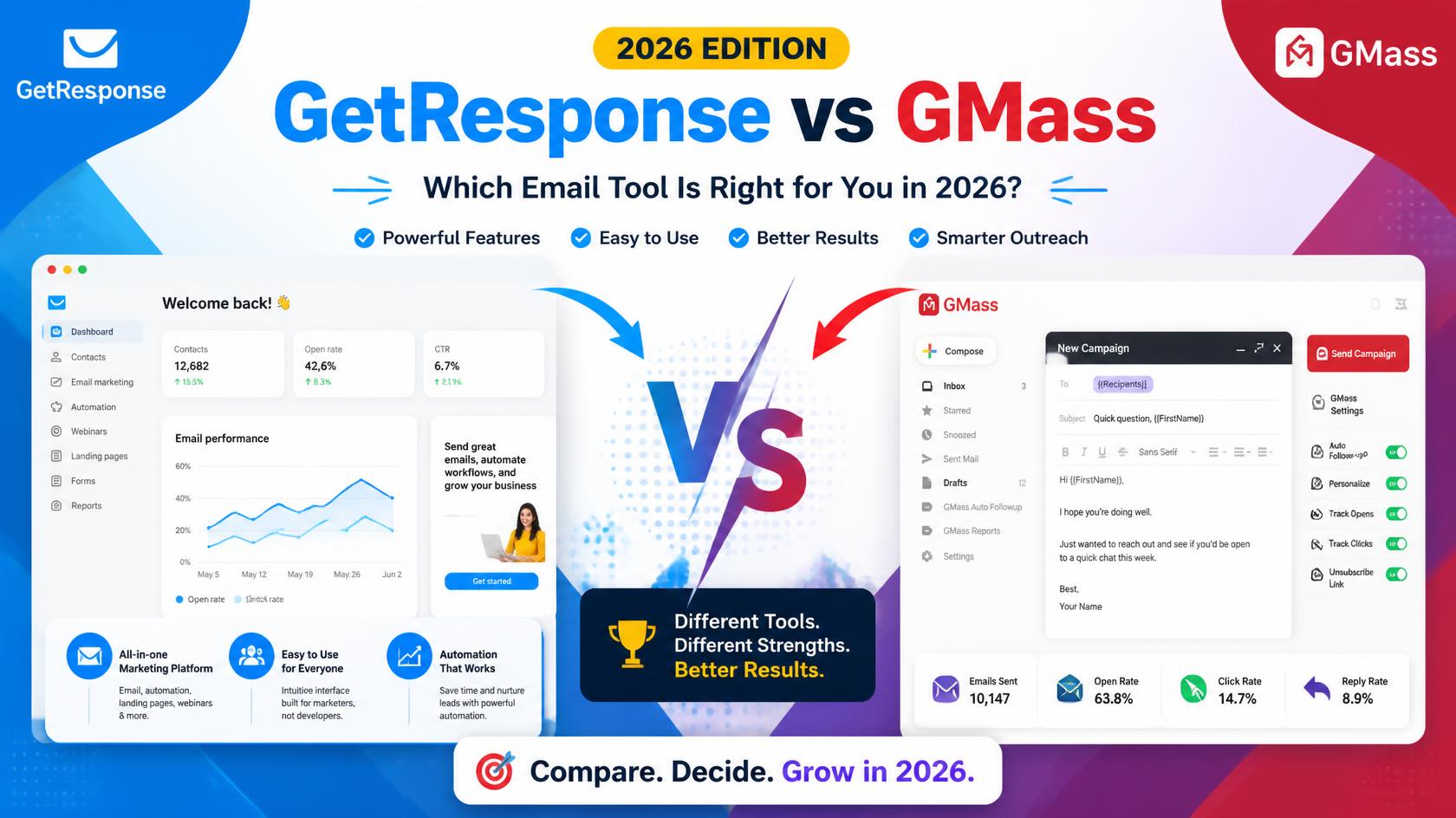
GetResponse vs GMass (2026): Features, Limits, Pricing and Who Should Use Which Meta description: GetResponse is an all-in-one marketing platform; GMass turns Gmail into a mail-merge and follow-up tool. Compare features, sending limits, pricing and ideal users before you choose. Suggested URL slug: /getresponse-vs-gmass/
By [AUTHOR NAME] | Last updated: 02/01.2025| Prices last verified: 12/10/2026
When selecting between GetResponse and GMass, consider your specific needs and objectives. GetResponse excels in comprehensive features for audience engagement and marketing automation, while GMass offers a streamlined approach ideal for personalized email outreach directly from Gmail. Assess your requirements to determine which tool aligns with your workflow, and always prioritize deliverability and compliance with consent regulations. For further details about the author’s expertise in email marketing, please refer to the provided link. Sources: [GetResponse Pricing](#), [GMass Pricing](#), [Google’s Bulk Sender Guidelines](#). Editorial note: Our reviews are based on thorough testing methods. This page will be updated as pricing or features evolve.
If you search for “GetResponse vs GMass,” you will find plenty of pages that treat these two products as direct rivals. They are not, at least not in the way Mailchimp and GetResponse are. One is a complete marketing platform that stores your subscribers, designs your emails and sends them from its own servers. The other is an add-on that sits inside Gmail and lets you send personalized mass emails and automated follow-ups from your own mailbox.
Because the two tools solve different problems, the “better” one depends entirely on what you are trying to do. This guide explains what each does, where each one struggles, how pricing and limits work, and which type of user should pick which. We also point out where you should run your own tests, because no review can replace trying a tool with your own list and your own domain.
Quick verdict
| If you need… | Better fit |
|---|---|
| Newsletters, landing pages, sign-up forms and funnels in one dashboard | GetResponse |
| Personalized outreach or mail merge sent from your own Gmail address | GMass |
| To grow a subscriber list from your website | GetResponse |
| To email a spreadsheet of contacts you already have a legitimate reason to contact | GMass |
| Advanced automation, tagging and segmentation | GetResponse |
| The simplest possible setup for a solo user who lives in Gmail | GMass |
| Sending volume that isn’t capped by a personal mailbox | GetResponse |
If you only read one line: choose GetResponse to build and nurture an audience; choose GMass to do inbox-style outreach at modest volume.
What is GetResponse?
GetResponse is a broad digital marketing platform. Email is the core, but the product also includes sign-up forms and pop-ups, landing pages, a website builder, automation workflows, an AI email writing assistant, and on higher plans, webinars, ecommerce features and SMS. You import or collect contacts inside GetResponse, build campaigns in its editor, and send them through its own sending infrastructure.
In practice, that means GetResponse is where your audience “lives.” Subscribers join through forms, enter automation sequences (a welcome series, a lead magnet follow-up, an abandoned-cart reminder), and are tagged or segmented based on behavior.
What is GMass?
GMass is software layered onto Gmail or Google Workspace, usually installed as a Chrome extension. Instead of leaving your email account, you compose a message in Gmail, connect a Google Sheet or a Gmail label as your list, and GMass sends individual personalized copies from your own mailbox. Its best-known capabilities include mail merge with personalization fields, scheduled sending, open and click tracking, automatic follow-ups, and a rule that stops follow-ups once a recipient replies.
Because the emails come from your real Gmail account, they look like ordinary one-to-one messages. That is the appeal for freelancers, consultants, recruiters and small sales teams. It is also the source of GMass’s biggest limitation, which we cover below.
How each tool works in daily use
With GetResponse, a typical workflow looks like this: you create a sign-up form, embed it on your site, and offer a free guide. New subscribers receive an automated welcome sequence. Every week you send a newsletter to the whole list or to a segment. You review opens, clicks and conversions inside GetResponse and adjust.
With GMass, a typical workflow looks like this: you build a spreadsheet with names, emails and any custom fields. You write one email in Gmail using merge tags such as the recipient’s first name. You schedule a campaign with two or three automatic follow-ups. If someone replies, follow-ups stop for that person, and the reply lands in your normal inbox where you handle it as a conversation.
The difference is philosophical. GetResponse is built around a list you own and grow. GMass is built around conversations you start.
Feature-by-feature comparison
List building and forms
GetResponse includes sign-up forms, pop-ups and landing pages, so you can collect subscribers without extra tools. GMass has no list-building or lead database. You must bring your own contacts, and you remain responsible for having permission to email them.
Email design
GetResponse offers a drag-and-drop editor, templates and AI-assisted writing. GMass uses the standard Gmail composer, which is simple and produces plain, personal-looking messages. That plainness can actually help engagement for outreach but is limiting if you want branded, image-heavy newsletters.
Automation
GetResponse’s automation depth depends on your plan. According to published plan descriptions, the entry-level Starter tier includes one automation workflow, while the Marketer tier unlocks unlimited workflows. GMass automation is narrower but practical: sequenced follow-ups, scheduling and reply-based stopping rules.
Personalization and segmentation
GMass personalizes from spreadsheet columns, which is flexible if your data is tidy. GetResponse personalizes from its contact database and supports tags, segments and behavior-based triggers, which scales better as your list grows.
Analytics
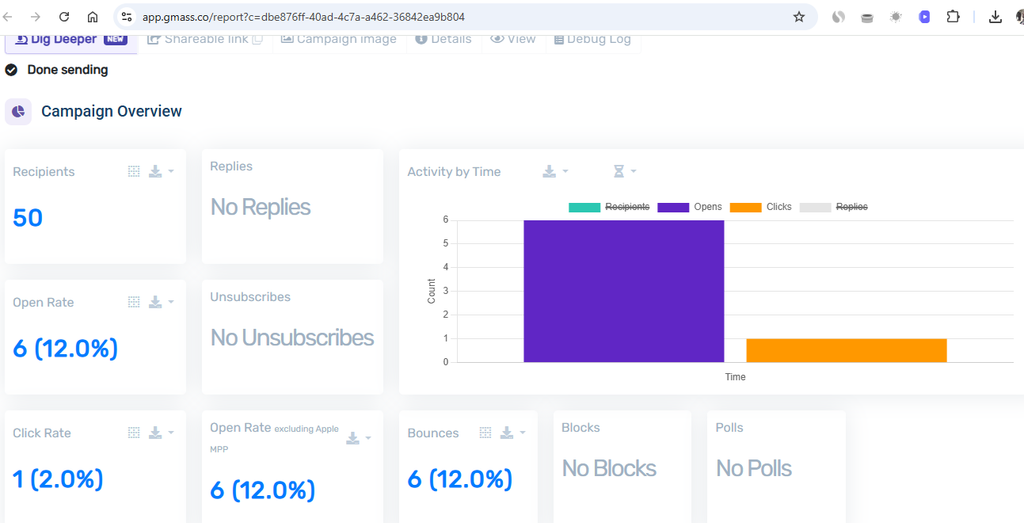
Both track opens and clicks. GetResponse adds campaign-level reporting, funnel and conversion reporting depending on plan. Keep in mind that open tracking has become less reliable across the industry because of mailbox privacy features, so judge campaigns by clicks, replies and conversions rather than opens alone.
Integrations and CRM
GetResponse connects to ecommerce platforms, webinar tools and a large library of apps. GMass connects naturally to Google Sheets and the Google ecosystem. Neither is a full CRM. If you run a sales pipeline, plan to pair either tool with a CRM.
Support and learning curve
GetResponse takes longer to learn because it does more. GMass can be learned in an afternoon if you already know Gmail and spreadsheets.
The most important difference: sending limits and deliverability
This is where the two tools diverge most in real life.
GMass sends through Gmail. That means you inherit Gmail’s limits, which are commonly described as roughly 500 emails per day for personal accounts and about 2,000 per day for Google Workspace accounts. GMass cannot override those caps. GMass does offer routes for higher volume, such as connecting a third-party SMTP service, but at that point you are managing more infrastructure yourself.
GetResponse sends from its own servers, so you are not constrained by a single mailbox. Your volume depends on your plan, your sender reputation and GetResponse’s sending policies. It also screens new accounts and list sources, which can feel strict but protects the shared reputation of everyone on the platform.
Whichever tool you choose, deliverability still comes down to fundamentals: authenticate your domain (SPF, DKIM, DMARC), send only to people who expect your email, keep complaint rates low, and make unsubscribing easy. A good tool cannot rescue a bad list.
Pricing: what to expect (verify before you buy)
Software pricing shifts frequently, so treat the figures below as a starting point and confirm on each vendor’s page.
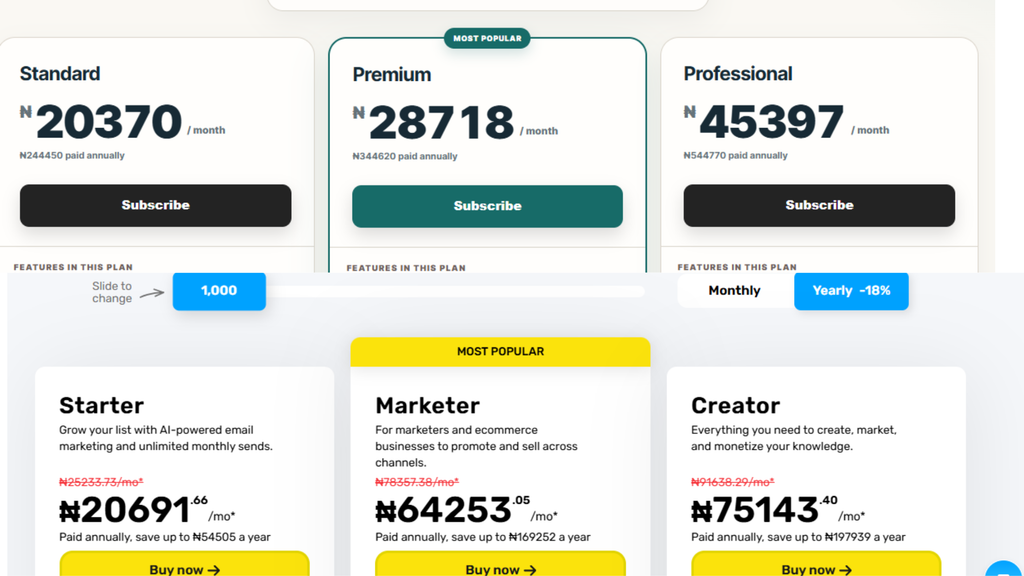
GetResponse: Published guides for 2026 report that plans start at about $19 per month for 1,000 contacts on the Starter tier, with cost rising as your contact count grows and as you move to Marketer, Creator and higher tiers. Some trackers report the overall range now extends into the hundreds of dollars per month for large lists and top plans. A free trial has been offered historically, but there is no permanent free tier.
GMass: GMass announced a pricing change effective January 1, 2026, and third-party sources disagree on the current numbers, with figures reported from roughly $25 to about $30 per month for an individual entry plan, and higher tiers and per-user team plans above that. Check GMass’s own pricing page for the exact amounts in your currency. GMass licenses per Gmail account, so cost scales with the number of senders rather than the size of your list.
How to compare cost properly: Don’t compare sticker prices. Ask what each tool replaces. If GetResponse replaces a landing page builder, a form plugin and a separate automation tool, its higher price may be a saving. If you only need to email a spreadsheet of prospects, GMass may be dramatically cheaper.
Real-world scenarios
Scenario 1: A blogger starting a newsletter. GetResponse. You need forms, a welcome sequence and a place to store subscribers who opted in.
Scenario 2: A freelance designer reaching out to 50 local businesses a week. GMass. Messages stay personal, volume is low, and replies come straight to your inbox.
Scenario 3: An online course creator. GetResponse. Landing pages, automation, and (on supported plans) webinars all matter here.
Scenario 4: A small agency doing both. Many use both: GetResponse for the owned audience and GMass for one-to-one prospecting. This is a perfectly reasonable setup if budget allows.
Pros and cons
GetResponse pros: All-in-one platform; strong automation on higher plans; independent sending infrastructure; forms and landing pages included. GetResponse cons: Costs rise with list size; automation limited on the entry plan; more to learn.
GMass pros: Fast setup; works inside Gmail; personal-looking messages; sensible follow-up and reply-detection logic; low entry cost. GMass cons: Bound by Gmail limits; no list-building tools; no built-in CRM; per-sender licensing; basic design options.
Legal and ethical note
Unsolicited bulk email is regulated. In the US, CAN-SPAM requires accurate headers, a physical address and a working opt-out. In the EU and UK, GDPR and PECR place stricter consent requirements on marketing email. Other countries have their own rules. Using GMass for cold outreach does not exempt you from these obligations. Email people who have a legitimate basis to hear from you, identify yourself honestly, and respect unsubscribe requests immediately. Not legal advice; consult a professional for your situation.
Our testing experience
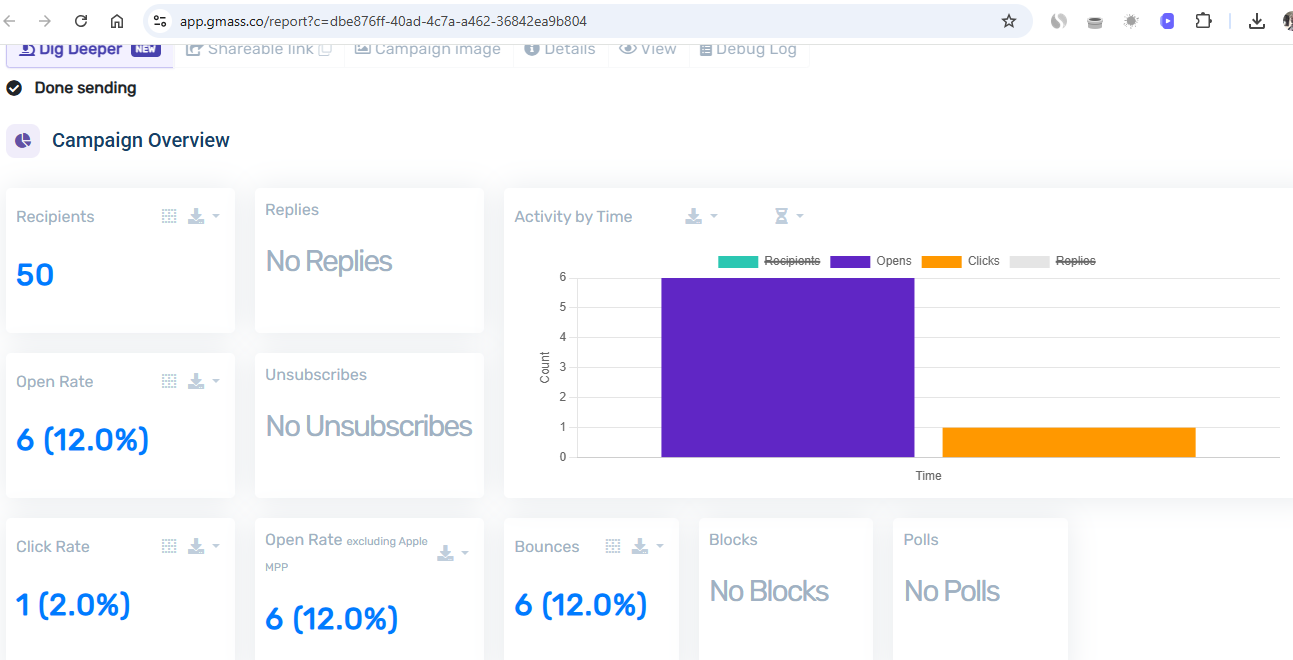
How to choose in five steps
- Decide whether your main job is growing an audience or starting conversations.
- Estimate your weekly send volume. If it will exceed Gmail limits, favor GetResponse.
- List what you’d otherwise pay for separately (forms, landing pages, automation).
- Use free trials for both, and run the same small campaign through each.
- Re-check pricing and limits on the vendor sites before you pay.
Frequently asked questions
Can GMass replace GetResponse? Only for sending. GMass does not host sign-up forms, landing pages or a subscriber database.
Is GetResponse good for beginners? Yes. Templates and AI writing help make it approachable, though advanced automation sits on higher plans.
Does GMass work outside Gmail? GMass is built around Gmail and Google Workspace. Other routes exist for high volume, but its core experience is Gmail-based.
Do I need to authenticate my domain with either tool? Yes. Set up SPF, DKIM and DMARC for whichever domain you send from.
Which is cheaper? GMass usually costs less for a single sender. GetResponse can cost less overall if it replaces several other tools.
Can I use both? Yes, and many marketers do: GetResponse for subscribers and GMass for personal outreach.
Final Points
GetResponse and GMass answer different questions. If you want to build, segment and automate communication with an audience that opted in, GetResponse is the more complete choice. If you want lightweight, personal outreach from your own Gmail account at modest volume, GMass is faster and cheaper to start. Test the one that matches your real workflow, confirm current pricing, and keep deliverability and consent at the center of whatever you build.
About the author: [ADD: Name, photo, 2-3 sentences about your real experience in email marketing, and a link to your About page.]
Sources to link: links to GetResponse’s official pricing page, GMass’s official pricing page, and Google’s bulk sender guidelines.
Editorial note: Our reviews are based on [ADD: your testing method]. We update this page when pricing or features change.